







Protecting Yourself From Account Takeover Scams
Dec. 16, 2025

Account takeover scams are becoming more common, and anyone who uses email, social media, shopping apps, or online banking can be a target. These scams can be stressful, expensive, and difficult to unwind – but getting a full understanding how they work is the first step to staying safe.
What’s an Account Takeover?
An account takeover happens when a scammer gain access to one of your online accounts – anything from your email or social media to your shopping or bank accounts.
Once they’re inside, scammers may:
- Change your password and lock you out
- Make purchases or transfer money
- Access personal details stored in your account
- Message your contacts while pretending to be you
- Use your information to target other accounts
Because so much if your life is connected online, one compromised account can create a domino effect.
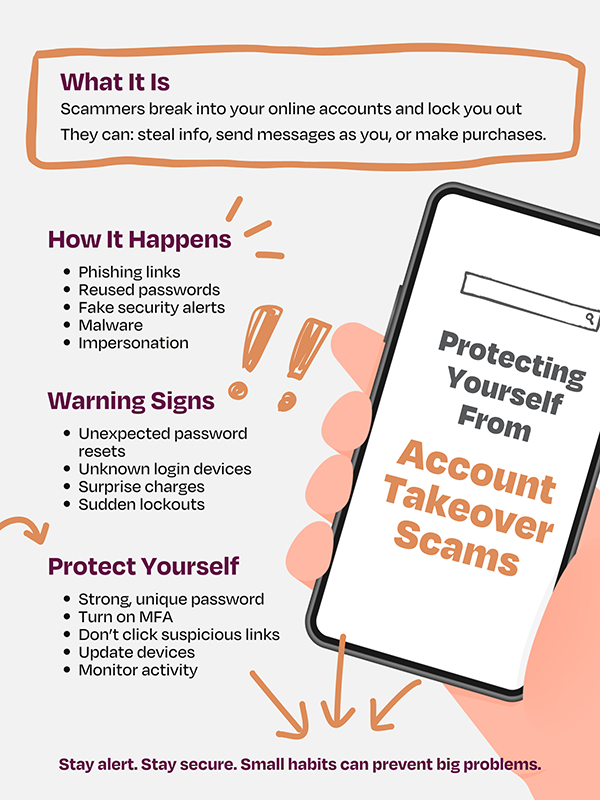
How Does it Happen?
Scammers use mix of tricks and technology. Common methods include:
- Phishing – fake emails or texts that look legitimate and ask you to click a link or log in. The link leads to a fake page designed to steal your credentials.
- Fake “Security Alerts” – Messages claiming there’s a “suspicious activity” on your account. They scare you into acting quickly and entering your details.
- Password Reuse – If you reuse the same password across many sites, a scammer only needs to hack one of them. They’ll try the same password on your email, social media, and even financial accounts.
- Malware – Malicious apps, downloads, or links that install software on your device. This can record your keystrokes or capture your login information.
- Social Engineering – Scammers impersonate friends, companies, or even tech support to trick you into sharing codes or personal information.
What to Watch For?
- Login alerts you didn’t trigger
- Password-reset emails you didn’t request
- New devices showing up in your account’s login history
- Unexpected purchases
- Locked or disabled accounts
How to Protect Yourself
A few simple habits go a long way:
- Use strong, unique passwords – Avoid reusing passwords. Consider using a password manager to keep track of them.
- Turn on multi-factor authentication (MFA) – This adds a second step – like a text code or app prompt – so a stolen password alone won’t let someone in.
- Be skeptical of unexpected messages – If you get an email or text that feels urgent or unusual, don’t click anything. Go directly to the website or app instead.
- Keep your devices and apps updated – Updates often patch security holes that scammers try to exploit.
- Watch your account activity – Many services let you see recent logins, connected devices, and account changes. Checking every so often can help you catch issues early.
What to Do If You’ve Been Hacked?
If something feels off:
- Change your password immediately – especially you email or any account that shares the same password.
- Log out of all devices from your account settings.
- Enable MFA if it wasn’t already turned on.
- Review recent account activity for unfamiliar logins or actions.
- Contact support for the affected service if you’re locked out or see suspicious behavior.
No, you don’t need to be a cybersecurity expert to protect yourself. Simple, everyday habits make a big difference. Being cautious online, keeping your passwords secure, and enabling extra layers of protection can stop most account takeover attempts before they start.

Gen Z Guide to Financial Independence
Adulting
Mar. 17, 2026

Spot Fake Social Media Giveaways
Scam Alerts
Mar. 10, 2026